Support Center
This is where you’ll find information and resources on how to use Campfire. To navigate the Support Center, use the search or menu located in the left sidebar.
To contact our support team, email support@campfire3d.com.
Getting Started
Get the App
Available on Meta Quest, HTC VIVE, Samsung Galaxy XR, Windows, Mac, and iPad. Compose Scenes 
Learn how to add 3D files, edit and organize your content into scenes, and share projects with others
Communicate and Collaborate
🤝
Communicate and Collaborate
Learn how to access projects, view and interact with 3D content, and communicate feedback
Frequently Asked Questions
Devices & Account
How do I change my profile image? You can change your profile image in the Campfire app for PC, Mac, or iPad or at app.campfire3d.com
- Click on your profile image in the top right corner
- Click on
Edit - Upload your new profile image
How do I change my password? Option 1:
Go to app.campfire3d.com and click “Forgot Password.”
Option 2:
- From within the Campfire app, click on your profile image in the top right corner
- Click on the
Change Password button
How do I change my display name? - From within the Campfire app for PC, Mac, iPad, or Quest, click on your profile image in the top right corner
- Click on the pencil icon next to your name
How do I change my email? How do I delete my Campfire account? You can delete your account from the Campfire app for PC, Mac, iPad, or Quest or at app.campfire3d.com
- From within the Campfire app, click on your profile image in the top right corner
- Click on the
Delete Account button
Pricing
How much does Campfire cost? Campfire is free to download. See our pricing page to learn about Enterprise and Custom plans.
How do I purchase more licenses? Collaboration & Sharing
How do I share my project? You can easily share a project with other Campfire users by adding their email address. Click on the Share button to add the emails of other Campfire users you’d like to share the project with. Read more about sharing
Why can’t I access a project that was shared with me? If you received a Campfire project link from someone else, make sure to create an account first.
The project will then automatically appear in your projects list and can also be accessed by clicking the link sent to your email.
If you did not receive an email, make sure the user sharing the project with you entered your email correctly.
How do I export comments? Open the annotation list in the top right corner of the UI and click on the export button to export all annotations in the scene as a CSV
How do I enable in-room collaboration on Quest? In-room collaboration is currently in Preview for Quest. Read this article to learn more.
In-room collaboration has stopped working. How do I fix it? If you don’t see a shared project after a few seconds, you might need to clear the point cloud cache on your Quest with the following steps:
- Navigate to Settings → Privacy & Safety → Device Permissions → Clear Physical Space History
- Click on Clear
- Create a new room-scale boundary
- Restart your device
Is in-room collaboration available on non-Quest devices? In-room collaboration is currently only available on Meta Quest devices.
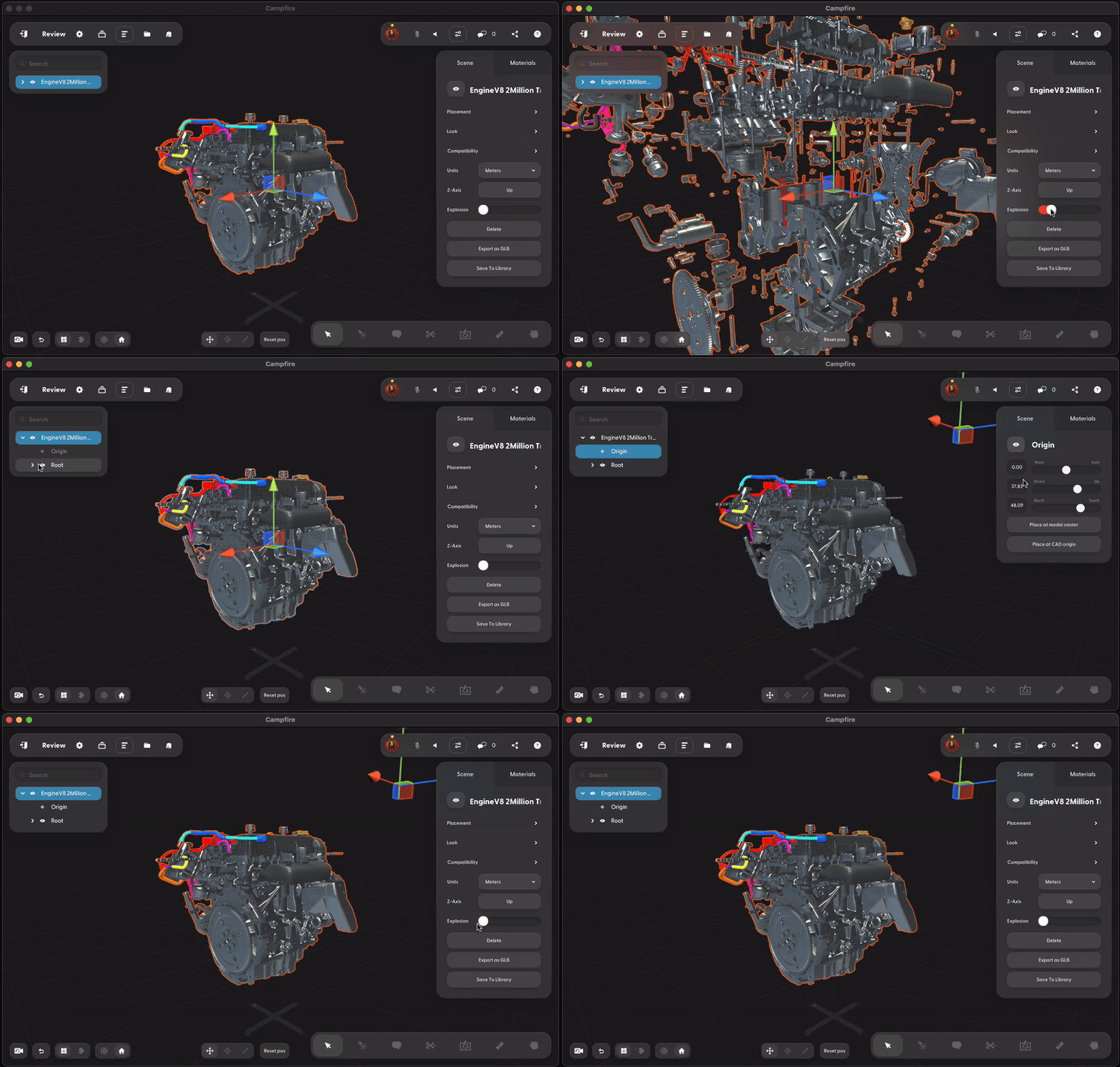
How do I change the origin of the model? Select the “Origin” layer in the hierarchy and use the gizmo to move it.
Can you add an existing Campfire account to an organization? (Enterprise) Yes. After adding the email of an existing Campfire account, the user will receive an email to confirm that they would like to transfer their existing account to your organization
Can I share with a free user? (Enterprise) Yes. You must do one of the following:
- Toggle
Allow users to share their projects with anyone in Organization Settings - Add their domain in
Allow users to share their projects with others in the following domains in Organization Settings - Add the user as a guest using the
Add User button
Animations
Can I bring animations into Campfire? Campfire will import animations that are already in FBX and GLB files.
How do I create a simple animation of a part or model moving from one position to another? In Campfire, you can create simple transition-based animations relating to position, scale, rotation, or material properties.
- Create a new scene and add your model
- Duplicate the scene
- Adjust all or parts of the model by moving, scaling, rotating, or changing the material
- Adjust the speed of the transition under
Scene Transition in the inspector
Check out the Animations & Scene Transition article for more.
Importing 3D Models
What 3D file formats does Campfire support? Campfire supports 40+ 3D formats. You can find a full list here.
How do I add my own models to Campfire? Upload models on PC, Mac, iPad, or Quest. Once you create a project, you’ll be able view, edit, and interact with it on any other device supported by Campfire. Read Compose Scenes for more information.
What is the maximum file size supported by Campfire? In the Campfire Starter plan, the maximum file size is 25 MB per file (5 GB total storage). In Campfire Enterprise, there are no limits on maximum size for individual files (20 GB total storage). Click here for pricing information.
What is the maximum polygon count recommended for a model imported to Campfire? Models with high polygon count will require more memory and GPU resources. Generally we do not recommend uploading models greater than 10m polygons.
How do I save my Campfire project? Campfire projects save automatically when updated.
How do I export my Campfire project? Enterprise plan users can export individual models as a GLB file format. Note that you cannot export models from sample projects.
How do I optimize my projects for Quest or iPad? How do I modify the thumbnail for a scene? There are three ways to modify the thumbnail:
- Move, rotate, or scale the model using gizmos (Desktop and iPad)
- Select “Set scene view” in the inspector (Desktop and iPad)
- Explode the model or change its materials (All devices)
Are point cloud PLY files supported? At this time we do not support PLY files that contain point cloud data.
Can I copy and paste models? Select the model and on Windows use ctrl + c to copy and ctrl + v to paste. On a Mac, use cmd + c and cmd + v
You can also, select the model and right click on it to open the context menu. Select Copy to copy the model and then right click anywhere else and select Paste
💡
Note: this is only possible if you are (1) the Presenter and (2) have Editor permissions in the project
Can I use Campfire to view large models on Quest? There are two ways to optimize your rendering performance on Quest.
- Campfire can optimize the model for you. This automatically decimates the model so it can be rendered on Quest, which may result in some loss of fidelity. Read more on how to optimize models for Quest.
- Use Quest Link to connect your Quest 3 to a PC via USB-C cable, and render complex models directly from your PC. This is a great solution for large models with complex textures or thousands of parts. Read more on setting up Quest Link.
How should I bring in multi-file assemblies from Autodesk Inventor? To upload an assembly that refers to multiple part files, all part files must be in the same folder. Use Pack and Go to gather your files into a single folder before adding to Campfire.
- In Inventor, bring up the Pack and Go menu.
- Under Options on the left-hand side, select Copy to Single Path.
- Click Start to create a folder without any sub-folders for the assemblies.
- In Campfire, import the root IAM file using
shift + file open. Read more on multi-file uploads.
What settings should I use to export STEP files from Autodesk Inventor? To bring in the correct materials and colors, review your STEP file export options and ensure Managed Model Based 3D Engineering is selected.
You can also export as GLTF instead of STEP.
Material Editing
What is the material library? The material library contains a list of preset materials that you can apply to a model.
I want to import a 3D model with materials already applied. What format should I use? We recommend OBJ, glTF, and GLB files. These formats maintain their material information when added to Campfire.
How do I add my own texture to a model in Campfire? To apply your own textures to a model after importing it:
- Navigate to the
Look section of the inspector - Hover over the default material applied to the model or a material applied in the
Materials section and click Edit - Click on any of the checkered boxes to upload a texture file
Note: choosing a different Shader preset will change the properties available for edit.
How do I apply the same material to a different part? - Select the part with the material you want to apply to others
- You’ll now see the material appear in the
Look section of the Scene tab - Drag the material from the
Look section onto another part
💡
Note: Once you apply a material from another part, the parts share the same material. Any changes to the material will affect all parts.
Why are the materials missing on a model I imported into Campfire? Make sure that the applied materials are also stored on your computer and attached to the model.
Can I use 360 photos in a scene? You can create a background for a scene using 360 photos. Read more.